
Here are the steps to upgrade your Afinion 2 device to Auto-Send:
For customers who are on the Relaymed Link (v4.0.34 and above):
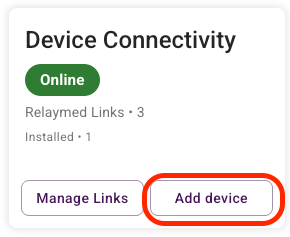
- From the main Dashboard / Device connectivity, click "Add Device"
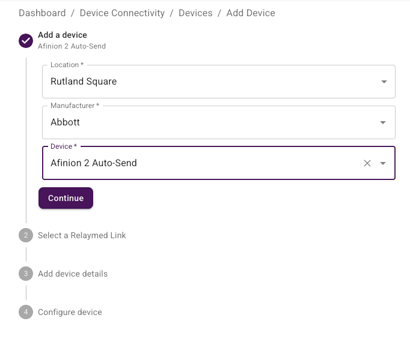
- Re-add the device as Afinion 2 Auto-Send
- Upgrade Afinion 2 to SW 21.16 with USB
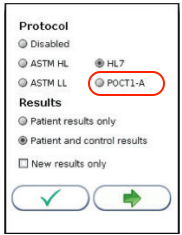
- On the Afinion 2, adjust connectivity to POCT1-A
- Contact Relaymed Support (support@relaymed.com) to upgrade to v4.0.34 (upgrades typically take a 10-15 minutes depending on admin access)
- Once system is upgraded, re add the Afinion 2 device as Afinion 2 Auto-Send
- Upgrade Afinion 2 to SW 21.16 with USB
- On the Afinion 2, adjust connectivity to POCT1-A