
Relaymed integrates with your BD Veritor device via the BD Synapsys software. Your organization will receive unique credentials, which can be used across all BD Veritor units. Each device is identified individually by its serial number.
Step 1: Add Device
Select Veritor Plus SFTP: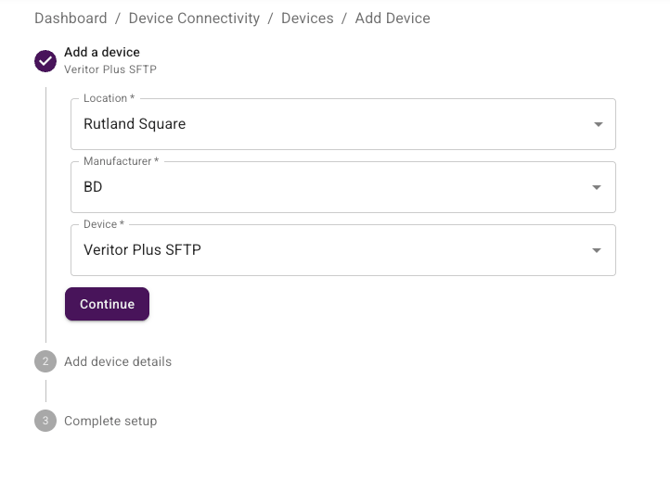
⚠️ Serial Number: The correct serial number must be entered for each unit
Step 2: Obtain Credentials
-
If this is your first BD Veritor device, your credentials will be sent securely within 1–2 business days.
-
If you have previously connected a BD Veritor Plus device, you can use the same credentials for all additional units.
Note: Each new device must still be added in myRelaymed using its serial number to function correctly.
Step 3. Set up the BD Veritor With Your Credentials
- Contact BD to help configure the Synapsys software to send via SFTP using the credentials you were provided
Step 4: Test the connection
-
Send a test through and verify it appears in the myRelaymed portal
Additional devices
-
If you have multiple BD Veritor units, make sure you add each unit separately in the myRelaymed portal.
-
Use each unit unique Serial Number.
-
The same SFTP credentials can be used across all units.